Review audit history
Tenant administrators can review organization activity and the activity associated with an individual user.
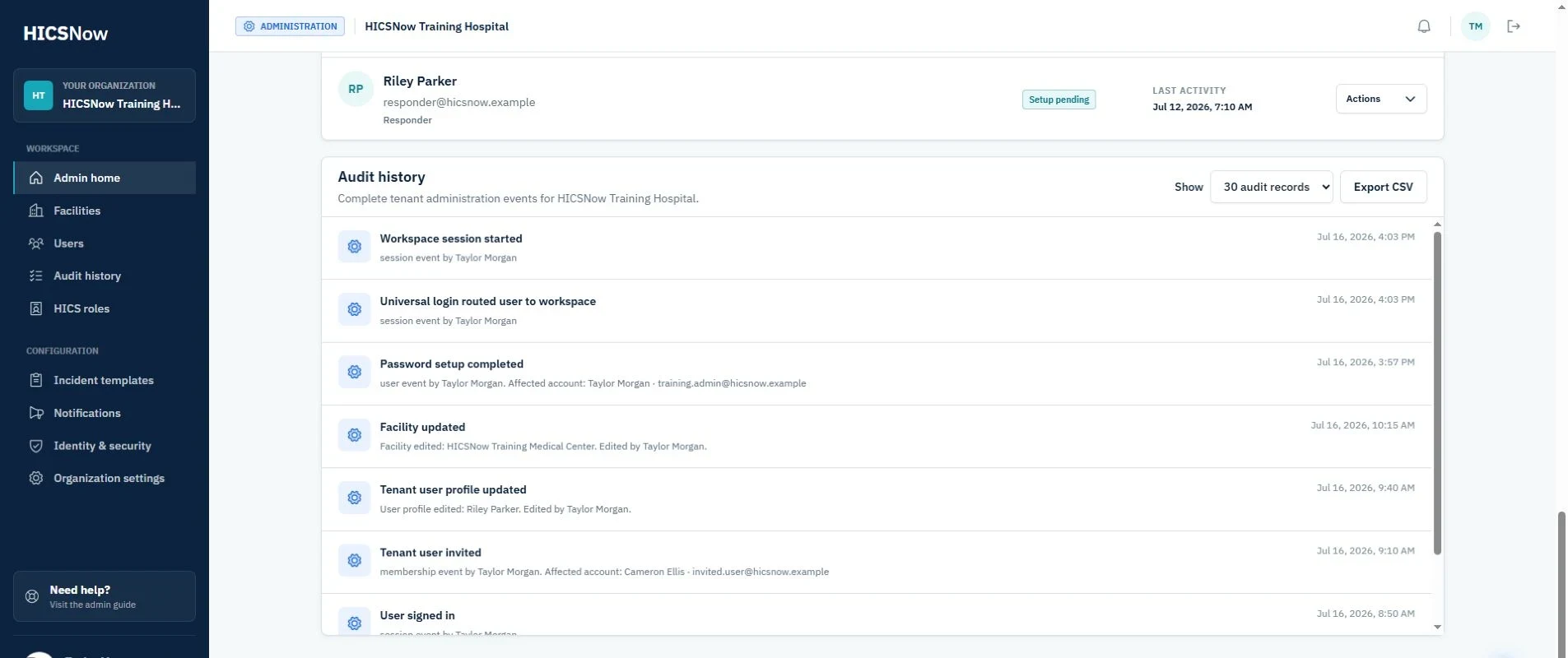
Review organization history
- Open Audit history from the tenant administration navigation.
- Choose 30, 60, 90, or All from the history range dropdown.
- Scroll within the audit-history card to review events.
Events use plain-language action names and identify the affected user or facility when applicable.
Facility information changes appear as Facility updated. Facility status changes appear as Facility deactivated or Facility reactivated so the lifecycle action is not hidden inside a generic edit. A deactivation entry also summarizes user suspensions and primary-facility reassignments when applicable.
Review one user's history
- Open Users.
- Open the user's Actions menu or profile.
- Select View audit.
- Choose the desired history range.
Export history
Select Export CSV from the relevant audit view. The exported action column uses plain-language descriptions, such as Audit history exported, rather than internal event codes.
Audit exports are themselves recorded in audit history.